Vow vs SelfControl: blocking the whole internet instead of a list
Last updated:
SelfControl is a free, open-source Mac app that blocks the websites on your blocklist until a timer runs out. Vow turns off your Mac's whole internet connection instead, with built-in schedules and an emergency early unlock. Pick SelfControl for a free website blocker. Pick Vow to take your Mac fully offline.
The short verdict
Choose SelfControl if…
- You want a free, open-source tool.
- You want to block a specific list of websites and keep the rest of the internet.
- You want no way out at all until the timer ends.
- You have an older Mac. SelfControl runs on much older versions of macOS than Vow.
Choose Vow if…
- You want the whole internet off, including messaging apps and anything not on a list.
- You'd rather not maintain a blocklist.
- You want built-in schedules.
- You want a safety valve for real emergencies: an early unlock after 15 more minutes offline.
Vow vs SelfControl, side by side
| Vow | SelfControl | |
|---|---|---|
| Price | $9.99 once (3 free sessions) | Free |
| Source code | Not open source; signed with an Apple Developer ID and notarized by Apple | Open source (GNU GPL) |
| What it blocks | The whole internet: every browser, app and terminal tool goes quiet at once | The websites on your blocklist |
| Lists to keep up to date | None | Yes (your blocklist) |
| Ending a session early | Request an early unlock; your Mac stays offline 15 more minutes first | Not possible: blocked until the timer expires |
| Restart or delete the app | The session continues | The block continues, even if you restart or delete the app |
| Schedules | Built in (for example, weekdays at 9:00) | Not listed on its website |
| Requirements | macOS 26 or later, Apple Silicon | Version 4.0.2 requires Mac OS X 10.10 or later |
Blocklist or the whole internet?
SelfControl blocks the websites you add to its blocklist for a period you set. Until the timer expires, you can't reach those sites, even if you restart your computer or delete the app. It's free, open source, and has helped a lot of people.
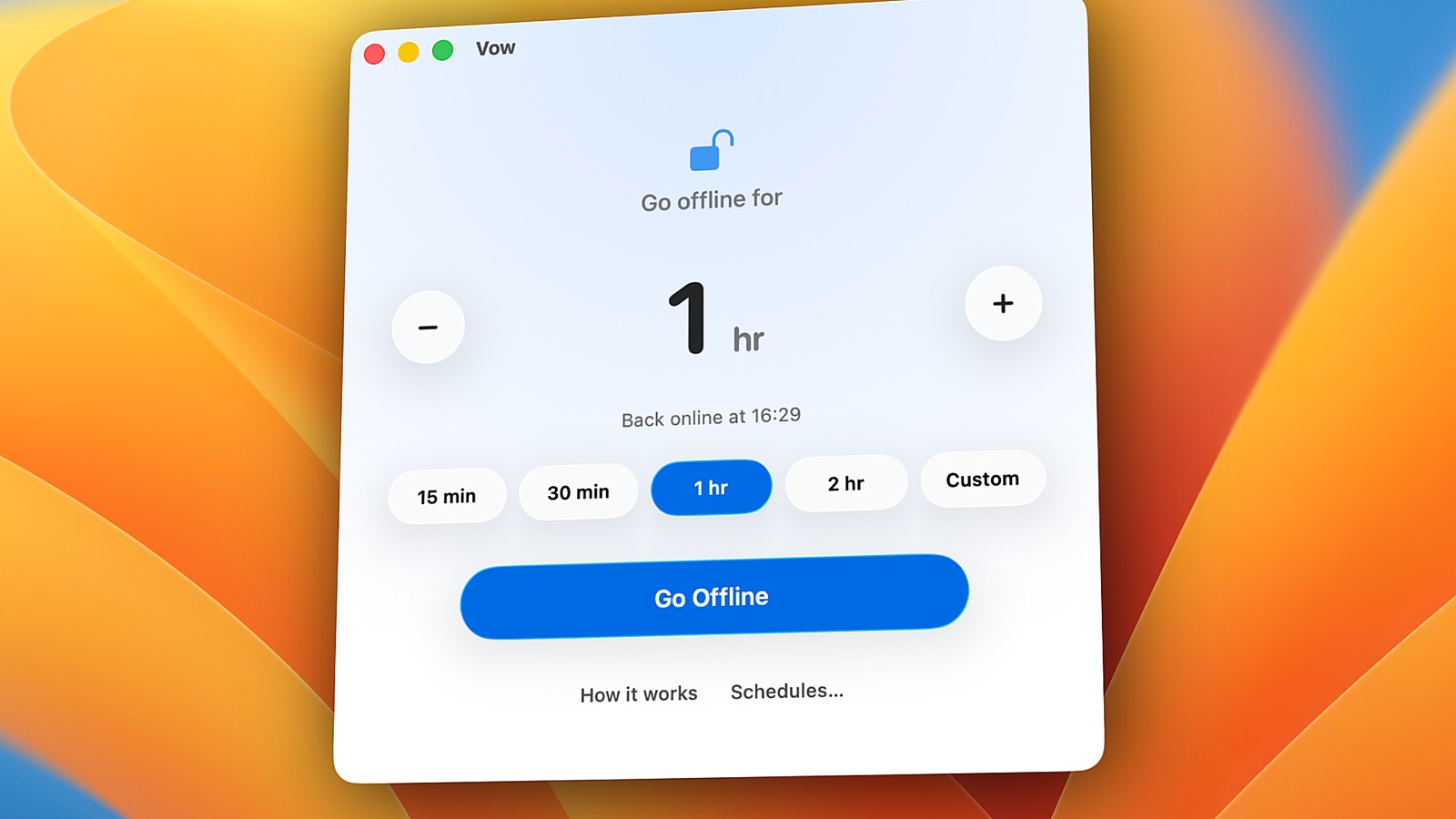
A blocklist only covers what you thought to put on it. Vow doesn't use one: it turns off your Mac's network connections entirely, so there's no next site to drift to. Your files, apps, localhost and local AI models keep working offline.
Strict, or strict with a safety valve?
SelfControl is uncompromising: once a block starts, it runs until the timer ends. Some people want exactly that.
Vow is strict by default, with one way out. There's no cancel button, and quitting or restarting changes nothing. But if something real comes up, you can request an early unlock. Your Mac stays offline for 15 more minutes, and you can change your mind during that time. That's usually long enough for an impulse to pass, while a genuine emergency still gets you online.
Price and requirements
SelfControl is free. Vow is $9.99 once for up to 2 personal Macs, with all 1.x updates included and 3 free sessions to try first. Vow requires macOS 26 or later on Apple Silicon. If your Mac is older, SelfControl is the practical choice.
Questions
Is SelfControl free?
Yes. SelfControl is a free, open-source Mac app licensed under the GNU GPL. Vow is a paid app: $9.99 once, with 3 free sessions to try it.
What's the main difference between Vow and SelfControl?
SelfControl blocks the websites on your blocklist. Vow turns off your Mac's whole internet connection, so every app and browser goes offline and there's no list to maintain.
Can I end a session early?
Not in SelfControl: a block lasts until its timer expires. In Vow, you can request an early unlock, and your Mac stays offline for 15 more minutes before the internet comes back.
Does Vow work on older Macs like SelfControl does?
No. Vow requires macOS 26 or later on a Mac with Apple Silicon. SelfControl supports much older versions of macOS.
Is SelfControl compatible with VPNs?
No, SelfControl will not block websites properly if you're using a VPN. This is not technically feasible, unfortunately.
If you are using a "partial VPN" like Junos Pulse Secure or Cisco AnyConnect to connect to corporate/university servers, please ensure it is disconnected while SelfControl runs. These applications have a tendency to save your networking state when they connect and restore to that state when they disconnect - so if you turn them on while SelfControl's running, and turn them off after it finishes, your block may "mysteriously" come back.
Try Vow free
Vow is a Mac app that turns off your internet and keeps it off until your timer ends, from 5 minutes to 24 hours. Try 3 full sessions free, then pay $9.99 once. Requires macOS 26 or later on Apple Silicon.